
Project Code Cloud
The Project
May I introduce the one and only Project Code Cloud, which I, Tiarna, and my even cooler friend, Chloe, worked together to create. It’s an abstract simulation of how physical devices interact with the cloud. The project uses buttons, lights, sounds, and simulated connection states to show how code moves between a coding website, the cloud, a computer, and a physical device. Why would we even create this? Well, Chloe and I have started teaching kids how to code, and we’ve noticed that they don’t actually understand what the cloud is. Let me put you in our position. You’ve just finished helping a whole group of kids code something on the micro:bit website, for example. You’ve made sure everybody’s code is working on the micro:bit simulator, and all the kids are happy with what they’ve created. Yay! Onto the next phase: handing out the micro:bits so they can connect them to their computers and upload their code. It may seem like an easy task, right? But just when you hand the second kid a micro:bit, the first one pops up with the annoying remark, “Mine’s not working.” Then, “Mine’s glitching.” And then, “Mine’s broken.” Inevitably, we get a whole choir whining about how their micro:bit isn’t working. They haven’t even plugged it into their computer yet. Argh. So you ask the kids, “Where do you think your code even is right now?” And instead of an answer, you just get a bunch of weird, blank looks. To save us, and possibly others, from having to hear constant complaining, we created Project Code Cloud, which, just to refresh your memory, is an abstract simulation of how physical devices interact with the cloud. It demonstrates what happens when you click download, upload, pair, and sync. Each button triggers a different light, sound, and device behaviour so people can see the invisible journey their code takes. And just for realism’s sake, we added two examples of things going wrong: pairing doesn’t work 20% of the time, and the cloud can sometimes drop offline. The trickiest coding part was making sure each mode could stop cleanly if another button was pressed before it had finished. We didn’t use AI to create the idea for us. We used it as a debugging and safety assistant when we got stuck. We used the AI assistant ChatGPT to assist us with three things: 1. The most difficult part of the project: working out why we couldn’t hear the audio. 2. The safety concerns we had: making sure we were running power correctly through the breadboard from the outset. 3. Safeguarding the technology from that kid who just keeps pushing our buttons. I mean the buttons. The kid who pushes one button and doesn’t wait until its mode has fully finished before pushing the next button.


Judge Feedback
Great demo that helps users learn and understand concepts in a better way. Informative, engaging, and well executed. Well done! 👏
From Sebin Sunny
About the team
Team members
More cool Hardware projects
Mosquito risk alert using microbit
Hardware
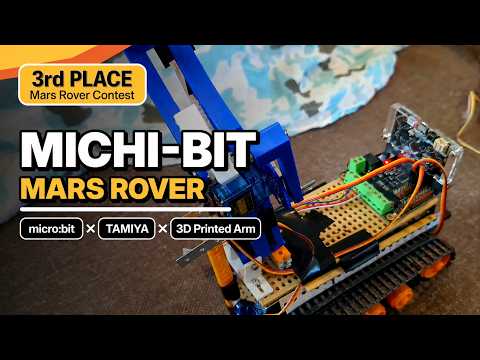
Mars Rover Michi bit
Hardware
AEDrone
Hardware